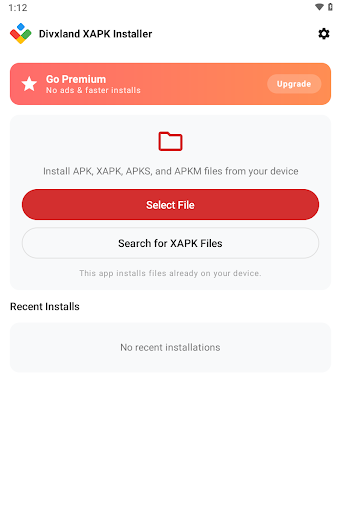
Sideloading modern software often fails when packages arrive as split archives or bundled files rather than single, standard installers. Divxland XAPK Installer addresses this issue by processing non-standard package types and deploying all their components simultaneously, preventing the common errors associated with incomplete setups. Rather than requiring manual file extractions, terminal commands, or directory reorganization, the utility scans device storage and automatically extracts and merges necessary files so that multi-part software sets up cleanly.
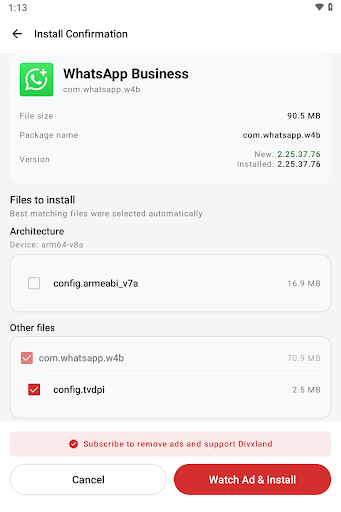
Standard system tools frequently reject non-standard extensions, leaving users unable to set up certain software. The app recognizes APK, APKS, and XAPK files, unpacking bundled components such as extra game data or localized resources internally. When handling split packages, it deploys every necessary fragment at the same time, preventing the system errors that occur when individual pieces are triggered independently.
Storage Scanning and File Discovery
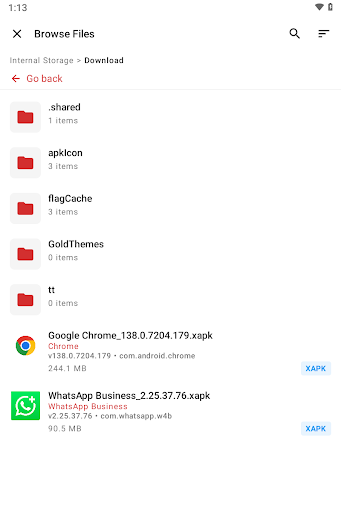
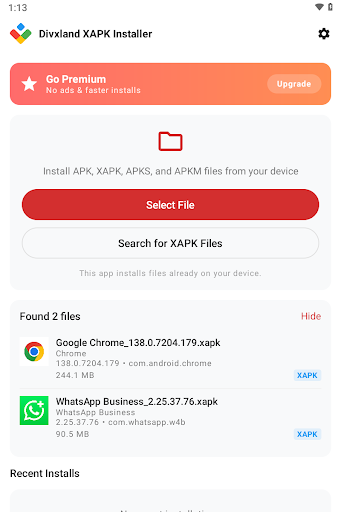
Locating complex installation archives manually across various directories can be cumbersome. The app searches both internal and external storage to compile a direct list of supported files found on the device. Presenting these compatible packages in an uncluttered file list allows users to initiate deployments directly without navigating deeply nested system folders.
Pre-Installation Architecture Checks
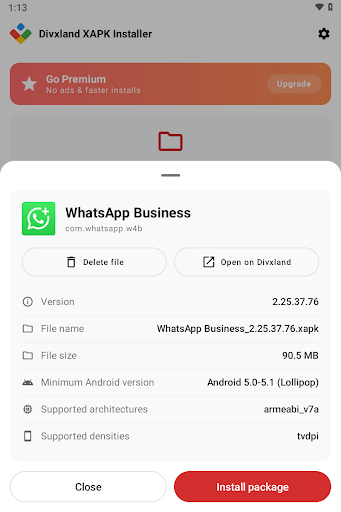
Attempting to run a package intended for different system specifications can lead to software instability or crashes. Before proceeding with any setup, Divxland XAPK Installer analyzes system requirements against the targeted hardware and software configuration. By verifying compatibility with the device architecture prior to triggering the installation, the utility helps ensure that third-party files function properly without damaging the host environment.



 Google Play Store
 Google Authenticator